React로 만들어진 웹 페이지를
Selenium을 이용해 웹 자동화 테스트를 하는 프로젝트를 진행하고 있다.
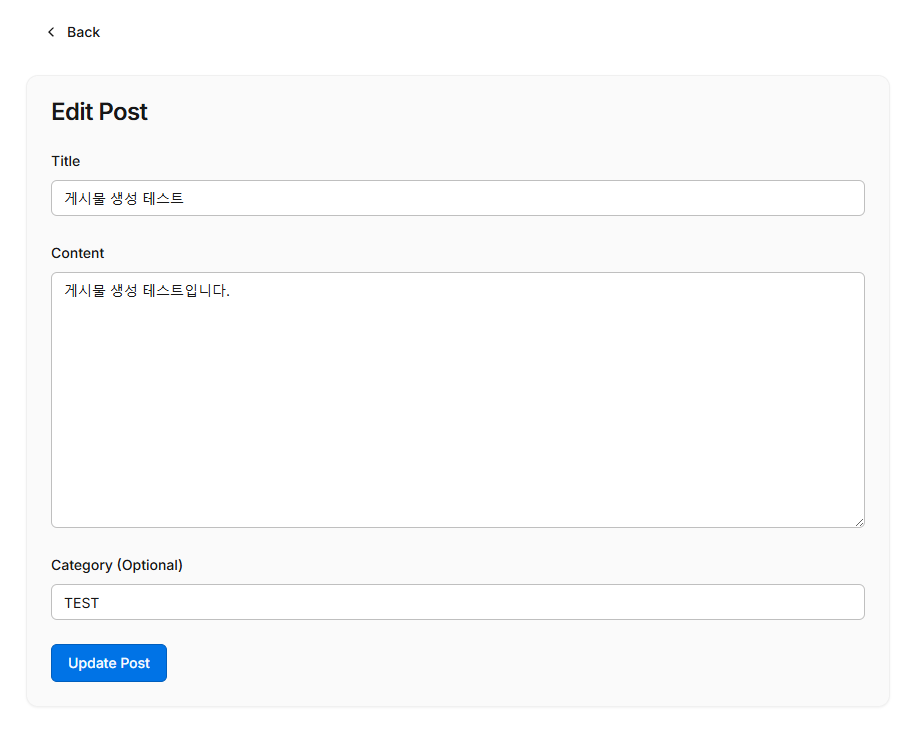
게시물 수정 테스트 코드를 작성하던 중,
clear() 함수를 이용해도
input의 값이 제대로 초기화가 되지 않는 현상이 발생했다.

일부 최신 UI 프레임워크는 표준 DOM 변경 사항을 무시하는 방식으로 입력 값을 바인딩 할 수 있어서
clear()가 실제 애플리케이션 상태를 업데이트 하지 않을 수 있다고 한다.
나의 경우에도 웹 페이지가 React로 구현되어 있고, title, content, category가 각각 react state로 관리되고 있어서
이와 같은 현상이 발생했던 것으로 추정된다.
clear()를 통해서 input field가 초기화 되지 않는다면 다음 방법들을 고려할 수 있다.
1. 직접 JavaScript 실행
driver.execute_script("arguments[0].value='';", input_element)
2. send_keys를 사용한 폴백
ctrl + a (전체선택) 후 delete를 이용하는 방법
from selenium import webdriver
from selenium.webdriver.common.keys import Keys
from selenium.webdriver.common.by import By
from webdriver_manager.chrome import ChromeDriverManager

driver = webdriver.Chrome()

element = driver.find_element(By.ID, 'title')

element.click()
element.send_keys(Keys.CONTROL, 'a')
element.send_keys(Keys.DELETE)
element.send_keys(new_value)
빈 값이 될 때까지 backspace를 누르는 방법
while element.getAttribute("value") != "":
  element.sendKeys(Keys.BACK_SPACE)
https://www.browserstack.com/guide/clear-selenium-python
How to Use the clear() Method in Selenium WebDriver with Python? | BrowserStack
Learn how to use the clear() method in Selenium WebDriver with Python to remove existing text from input fields and keep your automated tests accurate.
browserstack.wpengine.com
https://youtu.be/utDXRqjx8Bg?si=G3S4Cpzhtqnhm-DG
'공부 > QA' 카테고리의 다른 글
| [QA] Selenium XPath svg 태그 찾기 (0) | 2025.12.16 |
|---|---|
| [QA] pytest (0) | 2025.12.13 |
| [QA] Jenkins CI/CD 특강 정리 (0) | 2025.12.08 |
| [QA] Python Selenium 웹 테스트 자동화 (0) | 2025.12.05 |
| [QA] 선택자(CSS Selector, XPath) (0) | 2025.11.28 |